View Package Details
To view the package details, do these steps:
- Select Catalog | Packages from the sidebar menu.
- Click a Package from the list to display the Package Details page.
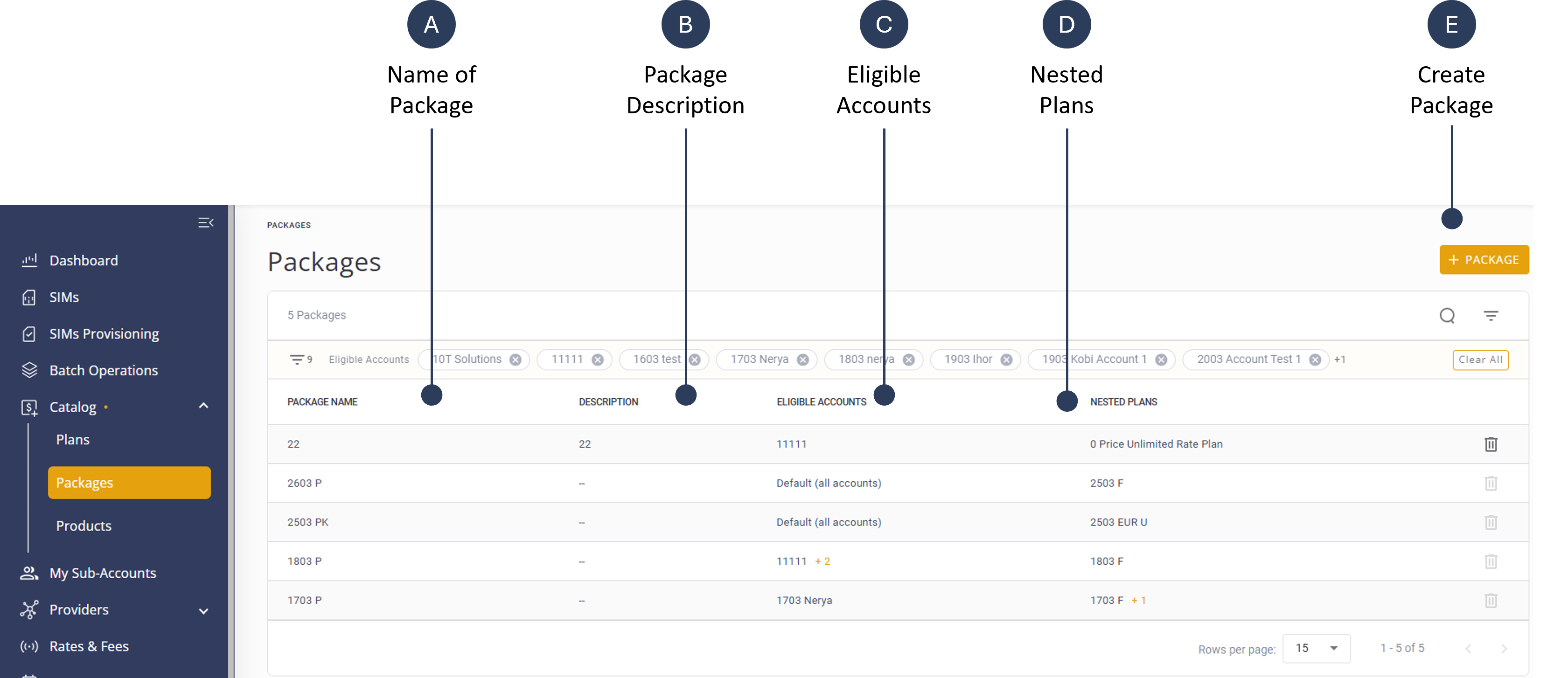
The Package Details page displays the information described in this table.
| Property | Description |
|---|---|
| Package Name | A short name to identify the package. |
| Package Description | A detailed free-text field that describes the package, the included plans, and terms. For example, “Onetime activation fee: $1 + monthly $2 including 1GB US only + $1.5 for 500MB EU only and generic account rate for using in the rest of the world.” |
| Eligible Accounts | Defines which sub-accounts can manage the package based on settings from the parent account. A package can be attached to any of these account options: all sub-accounts; multiple sub-accounts; a single sub-account or no sub-accounts. |
| Nested Plans | The specific plans incorporated within the Package. |
A screen capture of the Package Details page is shown here.